The rental specialist in the Netherlands
With a housing stock of 20,000 homes, vb&t Verhuurmakelaars is one of the largest rental specialists in the Netherlands. We have 55 years of experience in renting and managing homes.

When you apply for a rental property with vb&t Verhuurmakelaars, we ask you to share your details securely with us via the MyQii app. With this app, you don’t have to collect and upload all sorts of documents yourself. MyQii retrieves the necessary information, with your consent, directly from reliable government sources. In this article, we explain how the app works.
Why do we use MyQii?
To rent a property, we need information to assess your application. This includes, for example, your personal details, income details and living situation.
With MyQii, you can share this information securely and easily. You log in with your DigiD and decide for yourself which details you share with vb&t Verhuurmakelaars. This way, you always remain in control of your own personal data.
When do you use the MyQii app?
When you register or respond to a property listing, you’ll receive an invitation from us to use MyQii. Do you already have an account? Then you can simply log in. Don’t have an account yet? You can create one in just a few minutes.
If you don’t live in the Netherlands, unfortunately you won’t be able to use MyQii. In that case, you’ll need to upload the required documents manually to your tenancy file.
How does the app work?
Creating a MyQii account involves a few simple steps:
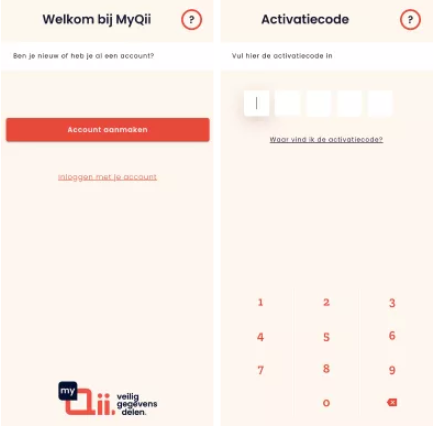
Step 1: Download the MyQii app via the invitation you’ll receive from us.
Step 2: Create an account or log in with an existing account.
Step 3: Enter the unique code displayed during the registration process.
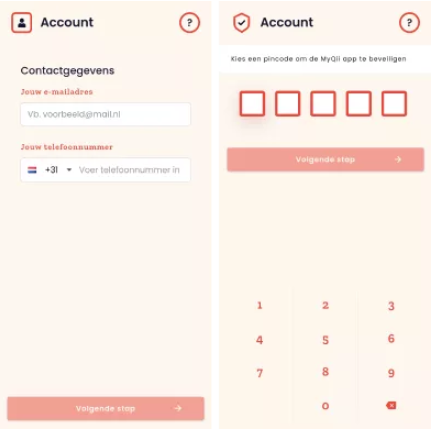
Step 4: Enter your contact details and set a personal PIN.
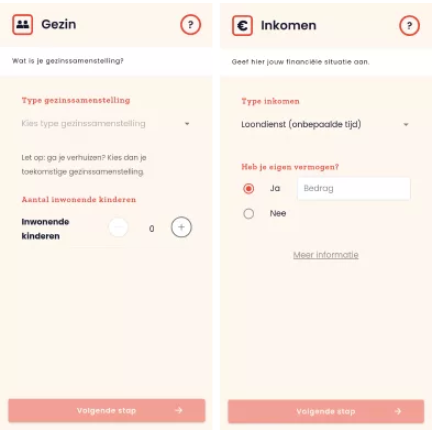
Step 5: Provide details of your household composition, income and living situation.
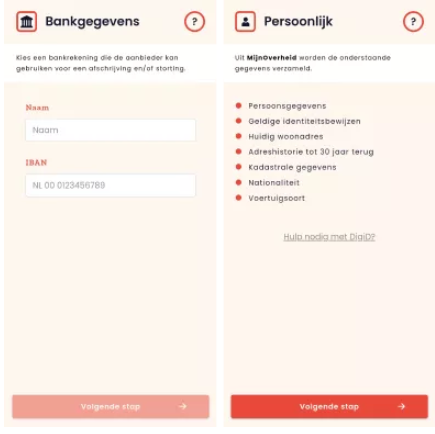
Step 6: Add the bank account number you will use for future rent payments.
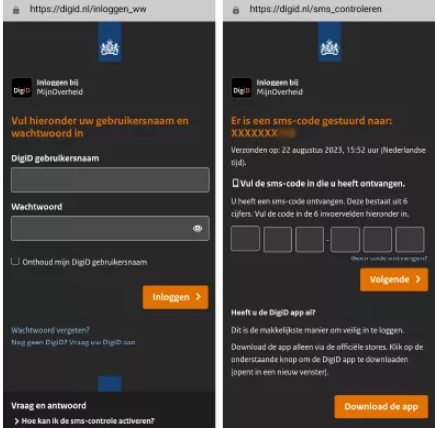
Step 7: Log in securely using your DigiD.
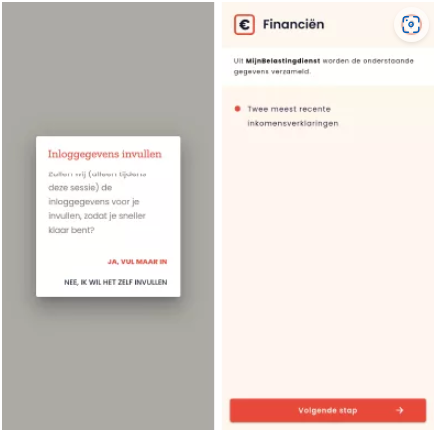
Step 8: Check which details are retrieved from sources including MijnOverheid, the Tax and Customs Administration and the UWV.
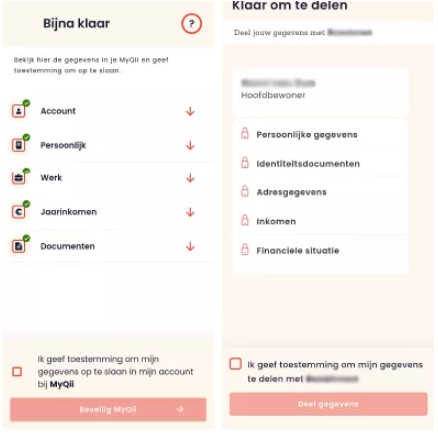
Step 9: Give your consent for this data to be stored in MyQii and shared with vb&t Verhuurmakelaars.
Once you have completed these steps, your details will have been successfully shared and you won’t need to do anything further. We will then process your application and keep you informed of further progress by email.
Secure and reliable
Your privacy is paramount at MyQii. Only the data required for your tenancy application is shared. Sensitive or unnecessary information is automatically redacted before the data is shared with us. You always decide which data you share and with which organisation.
For more information about Qii’s privacy policy: Qii – Privacy and Security at Qii
Need help?
If you have any questions about using the MyQii app, you can contact Qii directly: Home | Qii Helpdesk
Are you having trouble logging in with DigiD, or do you have questions about using the app? At many libraries, you can contact the Digital Government Information Point for support with DigiD. Click on this link for more information.
How do I download MyQii?
Would you like to download the MyQii app? If so, use the link you receive during the registration process with vb&t Verhuurmakelaars, or download the app directly from the Google Play Store or the Apple App Store.
Maak een account aan en ontvang van ons per e-mail updates met voor jou relevant woningaanbod.
Create a search profile